Auteur : Kim Coyle

WipFrag

O-Pitblast Demonstrates WipFrag Software

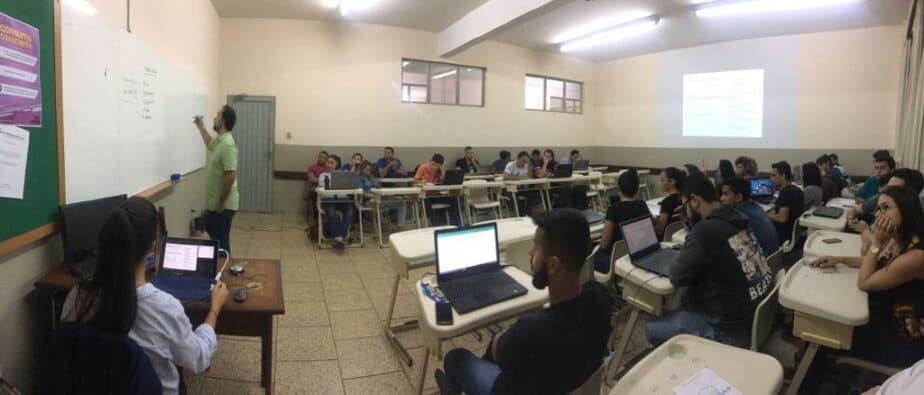
Instructor standing at classroom board

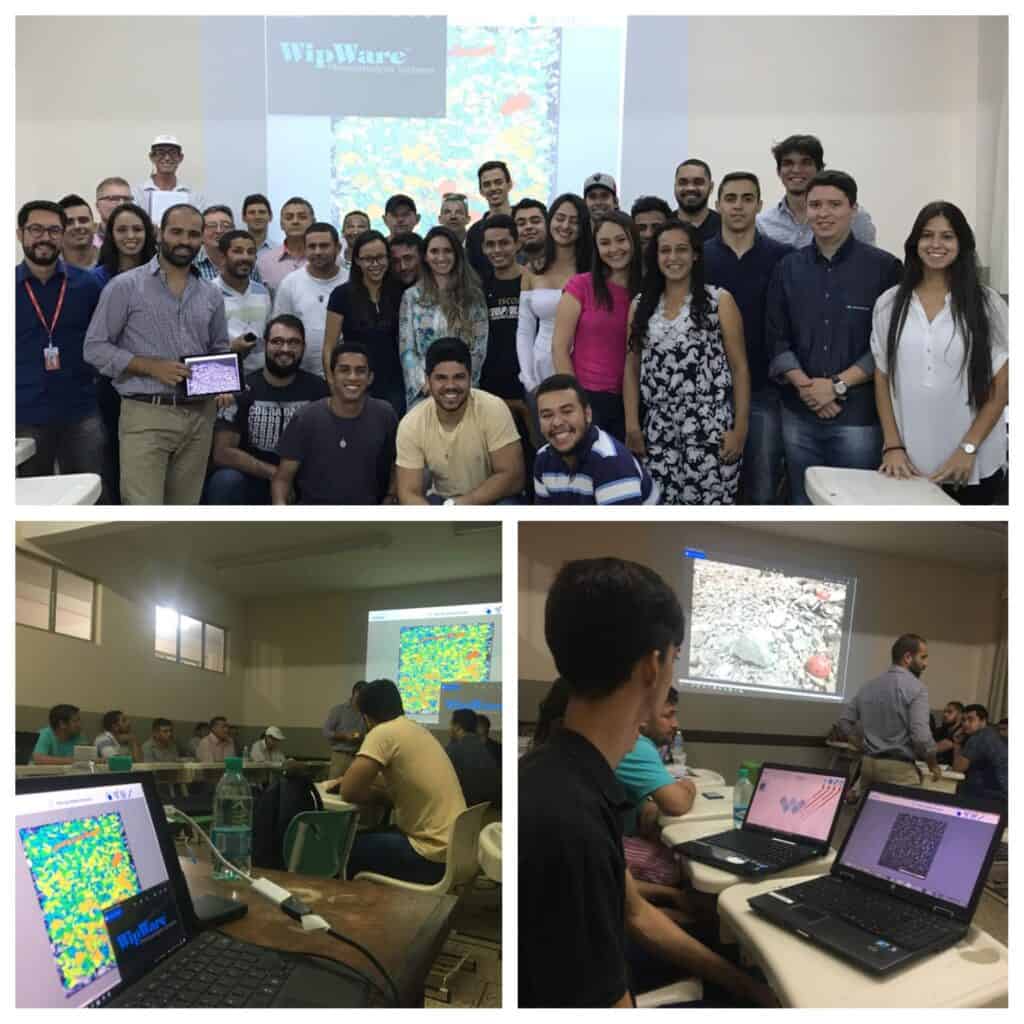
Throughout this week of November 13-17, O-Pitblast has been lecturing at Blaster University on drone usage. The focus was for Blast and Topography Control. Additional training was on Fragmentation Control by Photo Analysis, Blast Design and Blast Optimization. As part of the lectures, Francisco Leite, Technical Services Director at O-Pitblast used WipWare’s WipFrag software. This software was excellent for demonstrating Blast Optimization and Fragmentation Analysis.

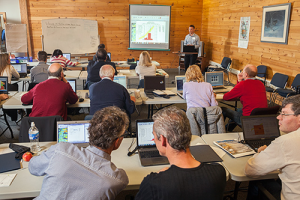
Students attending Blaster University Workshop at computers

Students had a great opportunity to see how WipWare’s fragmentation analysis software allows instant PSD analysis of digital images. One lucky student will be receiving a full version of WipFrag for Windows free for participating in the workshops.

Thank you again to Francisco Leite for providing this opportunity to showcase our WipFrag software to the Blaster University students.

WipWare

Dr. Rob Farnfield Busted Some Rock At WipWare

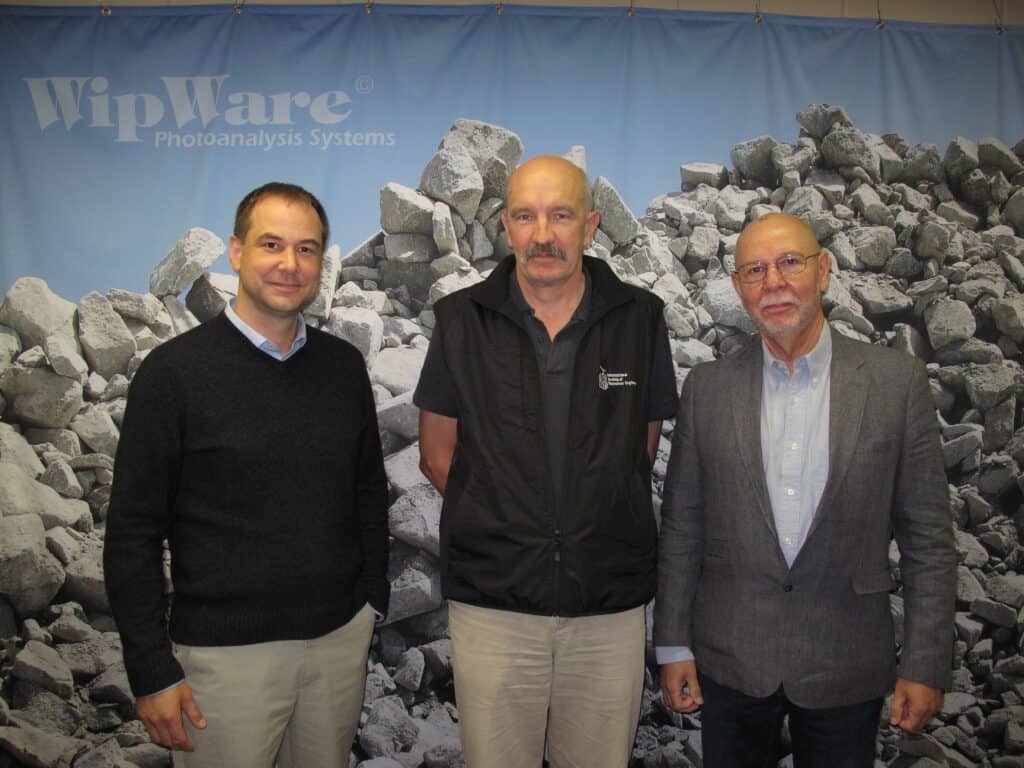
Dr. Rob Farnfield, Head of Explosives Engineering at EPC-UK busted some rock at WipWare on October 10 and 11th. Tom and Thomas Palangio had a great visit with Rob, gave him a tour of the facilities and discussed future opportunities.

WipWare values our many ongoing relationships with businesses and business leaders in the mining industry all around the globe. It’s relationships like Rob that help WipWare grow and continue to be a industry leader in optical granulometry.

We look forward to continuing and expanding our relationship with Dr. Rob Farnfield.

Conferences

Mines and Technology – Tom Palangio Attends Conference October 2-4, 2017

Tom Palangio attended the Mines and Technology 2017 Conference in Toronto, Ontario. The conference was well attended. Tom was the Session Chair on “The Culture of Mining and the Challenge of Transition” and moderated a panel discussion at the conference around Culture and Mindset Innovation. Participating in the panel were Neil Clegg, Vice President of VIR Electric Inc; Peter Kondos, Senior Director of Strategic Technology Solutions with Barrick Gold Corporation and Nathan Stubina, Managing Director at McEwen Mining.

Tom Palangio and Andrew Reese

The Mines and Technology Event in Toronto last week was an ideal venue to hear about innovations in mining from the people doing the innovation. Tom Palangio, President of Wipware shown above with Andrew Reese, Global Industry Mgr. with Endress + Hauser from Switzerland.
Mines and Technology 2017 focuses on a range of topic areas that are of critical interest for the next-generation mine, especially in the areas of digital analytics, data and tracking systems on mines; the role of robotics in future operations and how innovation will be crucial for waste and resource management.

Uncategorized

Photoanalysis System Calibration

By: Paul Chivers

Photoanalysis system data can be used for process control or to track relative changes without calibration. However, if your goal is to replace manual sieving then calibration is required. The calibration procedure outlined below is taken from the Calibration Document which is available to photoanalysis system users after logging into the Customer Download Area of the Downloads section of the WipWare website.

Calibration is the final step for system installation and cannot occur until all hardware and software adjustments have been characterized. These include mechanical setup; optical adjustments; scale settings; trigger settings; image quality settings and edge detection parameters. If any of these variables change, the system will require recalibration.

STEP 1: Stop Belt (perform a crash stop)

Once a system has been characterized and the process is running normally calibration can begin. Note that calibration is only effective if the material is unaffected by external variables not related to normal production (i.e., slower belts, partial process shutdown, etc…).

STEP 2: Image Material

In Delta, snap an image of the material. Save the image as ‘Calibration 1.bmp’ and close it. Place a scale reference (ruler, card, paper … of known dimensions) on top of the material in the viewable area. In Delta, snap another image and save it as ‘Scale 1.bmp’ before closing it.

STEP 3: Take Material for Sieving

In Delta, open the live image view. Find and mark the upper and lower limit of the viewable material on the belt. Remove the entire sample for sieving. Do not use coning, quartering, or riffling. The whole sample must be sieved.

STEP 4: Restart Belt & Sieve

All information has been gathered and your process can be restarted. Sieve the material before proceeding to next step.

STEP 5: Set Scale Factor

In Delta, open ‘Scale 1.bmp’ and set the scale using the scale reference of known length. Because the image was opened from a file, be sure the ‘Source’ is set to ‘Image File’. Close ‘Scale 1.bmp’.

STEP 6: Set EDPs

Open ‘Calibration 1.bmp’. Open the Options menu to get to the ‘Edge Detection Parameters’ tab and take note of which EDP preset is selected for the camera you are calibrating (i.e., Camera 1). Change the ‘Source’ to ‘Image File’ and select the same EDP preset from the previous step.

STEP 7: Set Size Classes

Select the ‘Output’ tab and take note of which Size Class preset is selected for the camera you are calibrating. Change the ‘Source’ to ‘Image File’ and select the same Size Class preset from the previous step. Make sure there is no calibration preset selected. Hit Apply and OK to save your changes.

STEP 8: Get Delta Values

Hit the ‘Generate Net’ button. Hit the ‘Sieve’ button. Take note of the following values: n, Xc, b, Xmax, X50. Save the chart as ‘Delta 1.bmp’. 
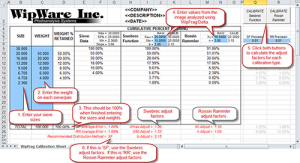
STEP 9: Enter Data into Calibration Sheet (See image to the right)

Only enter data in the blue squares:
1. Under ‘SIZE’, enter your size classes (largest on top).
2. Under ‘WEIGHT’, enter the weight on each sieve/pan.
3. The next column, ‘WEIGHT % RETAINED’, will be completed automatically and if done correctly the total at the bottom should be 100%.
4. Enter the ‘Xmax’, ‘X50’, ‘b’, ‘n’ and ‘Xc’ values you recorded previously from Delta into the appropriate blue box.

STEP 10: Calculate Adjust Factors (See image to the right)

With macros enabled, hit both the ‘CALIBRATE Swebrec Function’ and ‘CALIBRATE Rosin Rammler’ buttons. The Swebrec calculation is very quick. The Rosin Rammler function may take much longer. Once both functions have been completed, take note of the ‘Recommended Distribution Method’. If this reads ‘SF’, use the Swebrec adjust factors. If this reads ‘RR’, then use the Rosin Rammler adjust factors.

STEP 11: Enter Adjust Factors into Delta

In Delta, go into the Options menu and select the ‘Output’ tab. In the calibration dropdown select a ‘Calibration Preset’. You can rename this preset if you wish. Select either ‘R-R’ or ‘Swebrec’ based on what the calibration sheet recommended. Enter the adjust factors you recorded from the calibration sheet. Hit Apply/OK and put the system back online.

The System is Now Calibrated!

All steps are complete and the camera that was calibrated will now be outputting calibrated data.

Uncategorized

What Should I Use as a Proper Scale?

By: Paul Chivers

Question: What should I use as a proper scale?

Answer: It is essential to include some type of scaling device in photographs for fragmentation analysis. It’s recommended to use any solid scaling device with a contrasting color to the material which can be laid down flat on the material in question. White is usually a good choice. 

Range rods, yard/meter sticks and customized frames can all be used. We discourage the use of balls as they can expand and contract with changes in temperature and altitude. Be sure to position the scaling device horizontally in your image.

When there is a significant slope to the material you should use two scaling devices placed horizontally, one in the foreground and the other higher up the slope. WipFrag can utilize the two scales to apply perspective correction compensating for the slope of the material.

WipWare also offers the WLS-30 Light Scale, which projects a pair of green laser dots a fixed distance apart onto the material. This scaling method avoids the need to climb over the material to position and retrieve scaling devices. If tilt correction is required when using a Light Scale, the lasers should be re-calibrated to aim high in the field of view and combined with a physical scale placed in the foreground.

Uncategorized

Pit to Plant a Hit!

Participants jetted in recently from seven countries across four continents to join Canadian attendees for WipWare’s most successful training seminar ever.

The sold-out 5th Annual WipWare Training Seminar at the Canadian Ecology Centre in Samuel de Champlain Provincial Park, near North Bay, Ontario, from September 16-19, drew positive reviews from attendees from Australia, South Africa, Netherlands, UK, Brazil, Chile and the US.

This year’s Pit-to-Plant theme featured prominent speakers highlighting the importance of fragmentation data on both the blasting and processing end of operations in addition to WipWare technical staff outlining software features and automated system maintenance. Guest speakers covered a range of topics starting with an in-depth look at various blasting parameters and some exceptions to the Kuz-Ram model by the renowned Dr. Calvin J. Konya, President of Precision Blasting Services and Director of the Academy for Blasting and Explosives Technology.

Dr. Adrian Dance, principal metallurgy consultant at SRK Consulting (Canada) Inc. and a leading authority on Mine-to-Mill optimization outlined the justification for increasing drill and blast costs to achieve better fragmentation in terms of cost savings downstream in the milling operations.

Francois Robichaud, metallurgical superintendent at Agnico-Eagle described his experiences using image-based bulk material particle-size-analyzers to evaluate crusher performance and monitor SAG mill feed leading to optimized particle sizes entering their SAG mill resulting in higher throughput and reduced energy costs.

Seminar participants also received hands-on training with WipWare’s WipFrag and Delta software packages, and instruction on installation, use and maintenance of the company’s Momentum, Reflex and Solo automated systems.